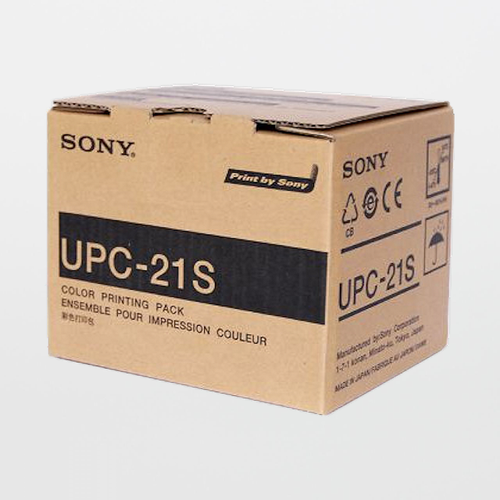
Sony UPP-210SE Standard Thermal Printing Paper

$41.09
(No reviews yet)
SKU:
UPP-210SE
UPC:
14905524421078
Availability:
Stock Item
Shipping:
Calculated at Checkout
SONY UPP-210SE Standard Black & White Thermal Printing Paper — A4 Width (210 mm x 25 m), ~130 Prints/Roll (Roll or Case of 5 Rolls)
OEM Sony Media Thermal Print Media B&W (Standard Density) 210 mm x 25 m ~130 Prints/Roll Roll or Case (5 Rolls) Stock Item

Overview

Sony UPP-210SE is an A4-width black & white standard thermal print media engineered for consistent, legible image output on compatible Sony medical printers. It is commonly used for ultrasound and diagnostic image documentation where clarity, repeatability, and predictable yield per roll are operational requirements.

SOSCleanroom supports imaging and documentation workflows with dependable supply, roll/case ordering options, and Auto-Ship schedules to reduce last-minute shortages and keep departments running without interruptions.


Why this media matters for day-to-day operations
  • Predictable throughput: Plan inventory and staffing with approximately 130 prints per roll and case-pack efficiency.
  • Repeatable image output: Using manufacturer-specified media helps keep grayscale output consistent across printers and shifts.
  • Fewer workflow disruptions: Roll or case ordering plus Auto-Ship helps prevent downtime caused by supply gaps.
  • Standard vs. high density options: Choose UPP-210SE for standard output; move to high-density media when higher contrast is required.

Typical use cases
  • Ultrasound / diagnostic imaging print documentation
  • Patient chart attachments and departmental recordkeeping
  • Teaching files, case reviews, and QA packets
  • Service and maintenance verification prints

Key specifications (published)
SKU / UPC UPP-210SE / 14905524421078
Media type Standard black & white printing paper (thermal media)
Roll size (W x L) 210 mm x 25 m (A4 width)
Yield Approx. 130 prints per roll (typical)
Ordering options Roll or Case (5 rolls/case)
Typical image size 150 x 210 mm (5.90 x 8.27 in)

Compatibility depends on printer model and print mode. Always verify UPP-210SE is listed in your printer’s approved media/consumables documentation before ordering in bulk.


Compatible printer families (verify by model)

UPP-210SE is published for use with multiple Sony B&W medical printer lines. Common examples include:

  • UP-991AD / UP-990AD / UP-971AD / UP-970AD
  • UP-910 / UP-930 / UP-960 / UP-970 / UP-980 / UP-990 (older series references)

Storage and handling
  • Keep rolls sealed until use to protect media from dust and moisture.
  • Store away from heat sources and direct sunlight to reduce risk of print quality degradation.
  • Use FIFO inventory practices and keep case labels intact for traceability in regulated environments.

Documentation

Use manufacturer resources for compatibility confirmation and purchasing standardization.


If you have any questions please email us at Sales@SOSsupply.com or give us a call at (214)340-8574. OR check out the AI ChatBot powered by SOSCleanroom data libraries - give it a try! THIS IS NEW FOR 2026! © 2026 SOSCleanroom. All rights reserved.
The Technical Vault By SOSCleanroom
Imaging Print Media Sony UPP-210SE Operations & QA Readiness

Why the right thermal media matters (more than most teams expect)

In ultrasound and diagnostic imaging environments, print media is not “just paper.” It is a controlled consumable that affects legibility, grayscale performance, reprint rates, and the time clinicians spend validating or re-running images. When media performance drifts, teams often blame the printer first. In reality, inconsistencies are frequently introduced by off-spec rolls, mixed-lot substitutions, improper storage, or using the wrong density grade for the diagnostic task.

UPP-210SE is Sony’s standard black & white A4-width media for compatible Sony printers and is commonly used when you need consistent output with predictable yield per roll. SOSCleanroom stocks UPP-210SE to support steady replenishment and to help departments avoid emergency substitutions.


UPP-210SE vs. UPP-210HD: how to choose
  • UPP-210SE (Standard): A strong default for routine printing where standard contrast and predictable output are the priority.
  • UPP-210HD (High Density): Best when you need higher contrast and more pronounced grayscale definition for review or presentation.

If your team is reprinting images because “they look washed out,” it may be a density selection issue rather than a printer issue. Standardize the correct media grade at the department level to reduce troubleshooting time.


Operational best practices: reduce waste, improve consistency
  • Control substitutions: Do not mix media types across rooms or shifts. One “close enough” swap can create avoidable variability.
  • Protect sealed rolls: Keep rolls in original packaging until use to reduce dust/moisture exposure.
  • Use FIFO: Thermal media is best managed with first-in-first-out staging and lot traceability discipline.
  • Train loading steps: Misloading can create creases or surface handling artifacts that look like printer defects.
  • Standardize reorder triggers: Build reorder points around roll yield and weekly print volume so you never hit a “no media” event.

Why buy UPP-210SE from SOSCleanroom
  • Stock item with ordering flexibility: Buy by the roll or by the case to match your consumption pattern.
  • Auto-Ship scheduling: Set 2/4/6/8-week delivery cycles to reduce admin time and prevent shortages.
  • Supply standardization: One approved SKU reduces variability and helps QA teams keep documentation consistent.
  • Support team access: When you need to confirm compatibility or build a reorder plan, SOSCleanroom can help quickly.

FAQ (quick answers for teams)

How many prints are in a roll?
UPP-210SE is typically published at approximately 130 prints per roll (image size dependent).

Should we order rolls or cases?
If multiple rooms share printers, cases simplify inventory control. Rolls are helpful for small clinics or low-volume rooms.

What if print quality looks different after a media change?
Confirm the correct media grade (SE vs. HD), verify storage conditions, and check that your printer model lists the media in its approved consumables documentation.


If you have any questions please email us at Sales@SOSsupply.com or give us a call at (214)340-8574. OR check out the AI ChatBot powered by SOSCleanroom data libraries - give it a try! THIS IS NEW FOR 2026! © 2026 SOSCleanroom. All rights reserved.