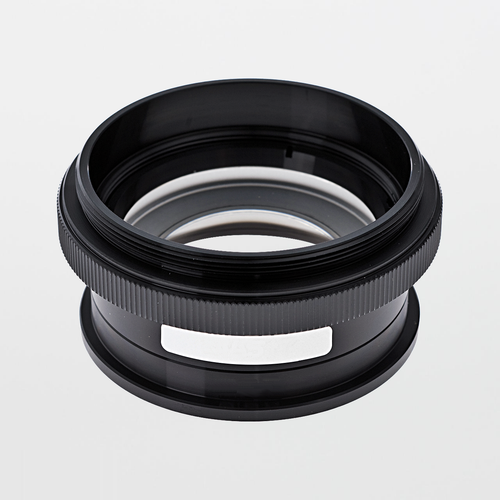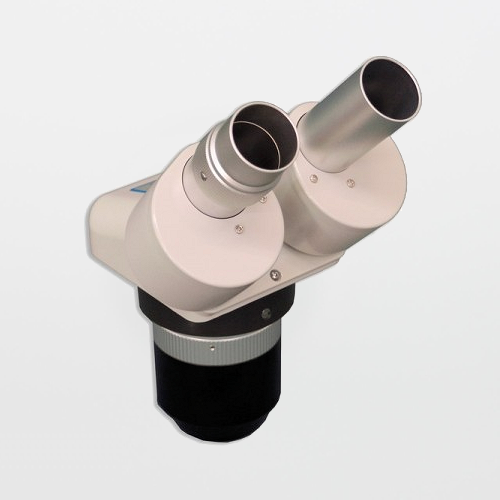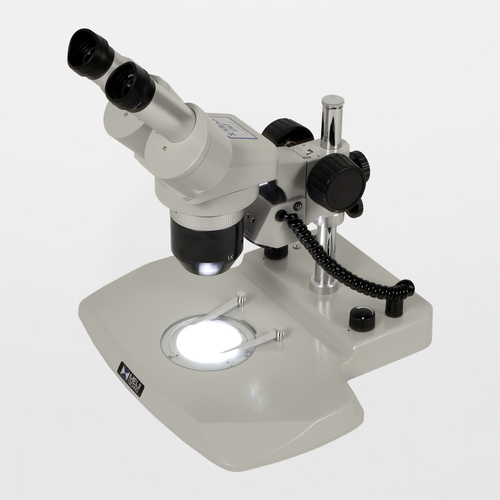
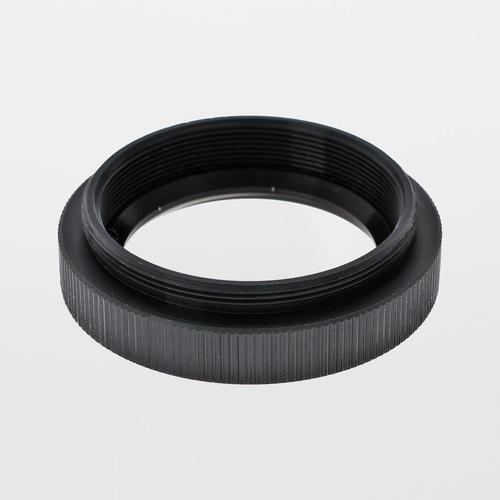
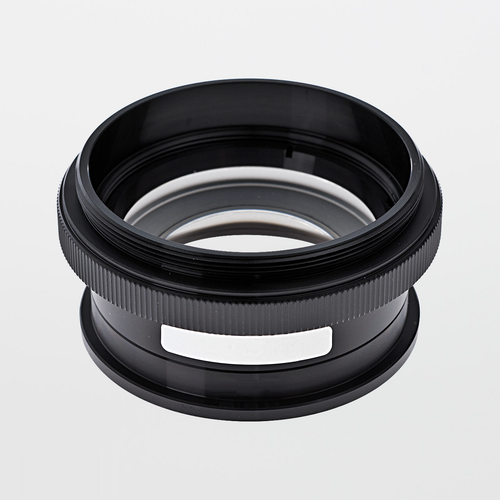
Meiji MA515 Lens Adapter to Attach Auxiliary Lenses to EMT-2 Microscope Body

$60.00
(No reviews yet)
SKU:
MA515
Availability:
7 - 10 Business Days
Shipping:
Calculated at Checkout

Meiji MA515 Lens Adapter — Required to Attach Auxiliary Lenses to the EMT-2 Microscope Body

The Meiji MA515 is the adapter / interface ring used to mount specific Meiji auxiliary lenses onto the Meiji EMT-2 stereo microscope body. If your workflow requires changing working distance and effective magnification using auxiliary lenses, MA515 is the enabling component that lets you standardize your EMT-2 bench configuration rather than improvising with non-matching hardware.

Compatibility note: MA515 is commonly referenced as the required adapter for auxiliary lenses such as MA518 (0.5X) and MA527 (0.75X) on EMT-2. It is also used in certain ring-light mounting configurations depending on the illuminator and setup.

Specifications:
  • Accessory type: Lens adapter / mounting adapter (auxiliary lens adapter)
  • Primary use: Enables mounting of select Meiji auxiliary lenses to the EMT-2 microscope body
  • Common auxiliary lenses enabled: MA518 (0.5X), MA527 (0.75X), MA513 (1.5X), MA514 (2.0X) (model/system dependent)
  • Also used for: Certain ring-light attachment configurations in EM-series microscope setups (setup dependent)
  • Legacy reference: Often associated with older part reference MA304 in some documentation
Where MA515 Fits in Cleanrooms and Laboratories (and Why)

In controlled environments, microscope performance is not just optical—it's operational. When benches swap parts, accessories, or improvised hardware, inspection results drift and troubleshooting becomes difficult. MA515 supports configuration control by making auxiliary lens changes a standardized, repeatable, and auditable action.

Typical program fit: EMT-2 benches where working distance and effective magnification must be tuned for scan vs. confirm workflows, rework/assembly access, or consistent QC inspection across shifts.

Treat MA515 as a controlled accessory in your bench bill-of-materials: it is a small part that prevents large workflow variability.

MA515 Features:
  • Purpose-built adapter for EMT-2 accessory compatibility (auxiliary lens mounting)
  • Supports standardized bench configurations (reduces “it looks different on my bench” variability)
  • Enables controlled use of multiple auxiliary lens factors for workflow tuning
  • Commonly used in EM-series configurations that include ring illumination (configuration dependent)
MA515 Benefits:
  • Prevents configuration drift: keeps EMT-2 benches aligned to documented optics setups.
  • Improves repeatability: consistent mounting reduces variation in apparent size/coverage across operators and shifts.
  • Enables workflow tuning: supports scan/handle stations (0.5X–0.75X) and confirm/detail stations (1.5X–2.0X) where appropriate.
  • Supports audit readiness: simplifies documenting what hardware is installed on a given inspection station.
Common Applications:
  • Enabling MA518 (0.5X) or MA527 (0.75X) auxiliary lens use on EMT-2 for improved clearance and throughput
  • Supporting higher-detail auxiliary lens setups (1.5X / 2.0X) when confirm inspection requires it
  • Standardizing EMT-2 inspection stations in cleanrooms, QC labs, and production environments
  • Ring illumination configurations where the system requires an adapter interface (setup dependent)
Related Products Available From SOSCleanroom.com
Optics Cleaning (Recommended for Auxiliary Lens Programs)

When auxiliary lenses are swapped between benches, optics contamination is a leading cause of “false defects” (haze, streaks, and debris in the image). Use optical-grade swabs and specialty low-lint wipers to maintain contrast and reduce fiber shedding on coated surfaces.


Link to Meiji MA515 Product Details:
Manufacturer Product Page | Datasheet (PDF)

Notes: Accessory compatibility can vary by microscope body and configuration. Treat adapters, auxiliary lenses, eyepieces, and illumination as controlled bench settings to maintain consistent inspection outcomes.

Product page updated: Jan. 21, 2026 (SOS Technical Staff)

© 2026 SOS Supply. All rights reserved.

The Technical Vault
By SOSCleanroom
Last reviewed: Jan. 21, 2026 | Audience: cleanroom operations, QA/QC, lab managers, manufacturing engineering, EHS
Why a Small Adapter Matters: MA515 as the “Configuration Control” Part for EMT-2 Stereo Microscopy
Auxiliary lens programs, scan vs confirm stations, and preventing inspection drift
EMT-2 auxiliary lens enablement Scan vs confirm stations Stereo vs compound education
The one-paragraph answer

The Meiji MA515 is the adapter used to enable specific auxiliary lenses on the Meiji EMT-2 stereo microscope body—most commonly supporting auxiliary lenses such as MA518 (0.5X) and MA527 (0.75X), and also referenced with higher-factor lenses in the same series. Operationally, MA515 is important because it allows the auxiliary lens to be treated as a controlled configuration rather than an improvised bench modification, reducing inspection variability, training drift, and root-cause confusion.

Why QA should care: If two benches “look different,” the product may not be different—the microscope configuration is. Document the adapter + lens factor + eyepiece set as part of station control.

Operational problems MA515 helps prevent
  • Inspection drift: different benches run different effective magnification/coverage, producing inconsistent defect calls.
  • Uncontrolled changes: operators “swap parts” without documenting what changed (adapter/lens factor/illumination).
  • False defect escalation: optics contamination or incompatible configurations cause artifacts that look like defects.
  • Slow troubleshooting: teams chase process issues when the root cause is configuration mismatch.
Microscopy education: stereo microscope engineering vs. compound microscope engineering

Stereo microscopes are engineered for inspection and manipulation. They use dual optical paths to provide depth perception and are commonly configured with stands, illumination, eyepieces, and auxiliary lenses to tune clearance, coverage, and apparent detail for a specific bench task. The MA515 exists because stereo microscopy is modular by design—bench configuration is part of the engineered solution.

Compound microscopes typically prioritize high magnification analytical viewing (often slide-based) and transmitted illumination, and are less focused on tool clearance and hands-on manipulation at the work surface. For production/QC workflows, stereo platforms are often preferred because they can be configured into “scan” and “confirm” benches using controlled accessory sets.

Practical takeaway: Treat your stereo microscope like a controlled workstation. Adapters and auxiliary lenses are not “extras”—they are configuration controls.

Best-practice bench design: “scan” vs “confirm” stations

A common best practice is to separate benches by role: a scan/handle station (higher clearance and coverage) and a confirm station (higher apparent detail). MA515 enables the EMT-2 to participate in this model by allowing controlled auxiliary lens selection.

Configuration control checklist (SOP-ready)
  • Microscope body model (EMT-2)
  • Adapter installed (MA515)
  • Auxiliary lens factor (e.g., MA518 0.5X or MA527 0.75X)
  • Eyepiece model/magnification
  • Illumination type and typical intensity/geometry settings
  • Optics cleaning interval and method (documented)
Optics hygiene discipline (artifact control)

Accessory swapping increases the risk of haze, fingerprints, and films that can mimic defects. Maintain a simple optics-care routine using optical-grade swabs and low-lint wipers, and avoid reusing a loaded swab/wiper surface.

Suggested optics-cleaning SOP insert (template-style)
  1. Remove loose particles before wiping to avoid dragging grit across coated optics.
  2. Use a fresh optical swab/wiper; lightly dampen with minimal approved solvent.
  3. Wipe gently in one direction; avoid heavy pressure and repeated scrubbing.
  4. Replace the cleaning surface frequently; do not reuse loaded swabs/wipers.
  5. Cover the microscope when idle to reduce airborne deposition.
Source basis
  • SOSCleanroom product listing context (bench configuration and program-fit positioning).
  • Manufacturer MA515 product page and datasheet (adapter purpose and common accessory use).
  • Common inspection microscopy best practices: scan vs confirm workflow design, configuration control, and optics hygiene discipline.
Compliance note: This Technical Vault article is provided for educational support. Always follow facility SOPs, QA requirements, and validation/qualification plans.
Document control: Rev. Jan. 21, 2026 (SOS Technical Staff)
© 2026 SOS Supply. All rights reserved.