
TechniQuip DCG-200M Digital Video Crosshair Camera Generator | Single Camera

$820.00
(No reviews yet)
SKU:
DCG-200M-110
Availability:
7 - 10 Business Days
Shipping:
Calculated at Checkout
Quantity Option (Each):
1 Unit

TechniQuip DCG-200M Digital Video Crosshair Generator (Single Camera)

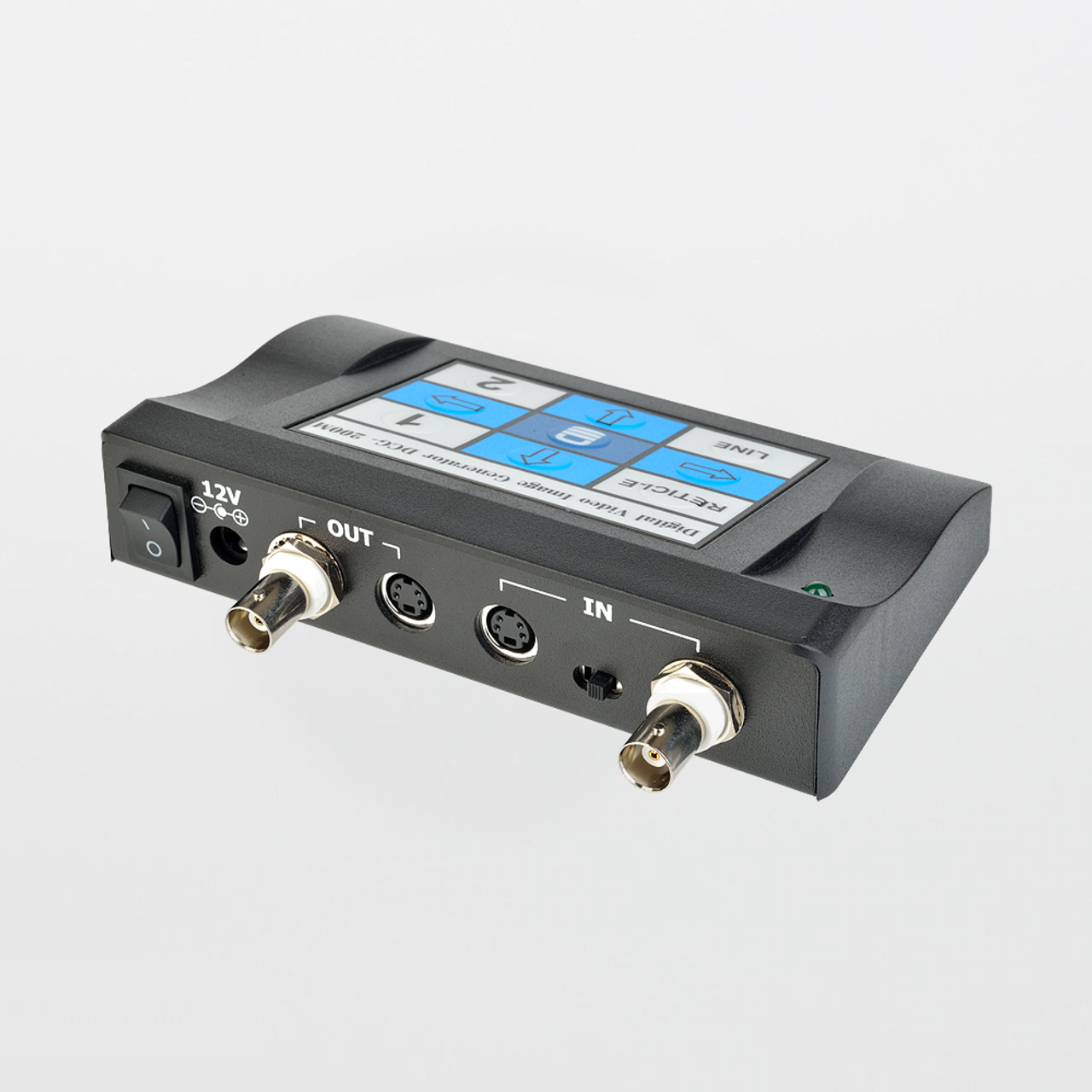
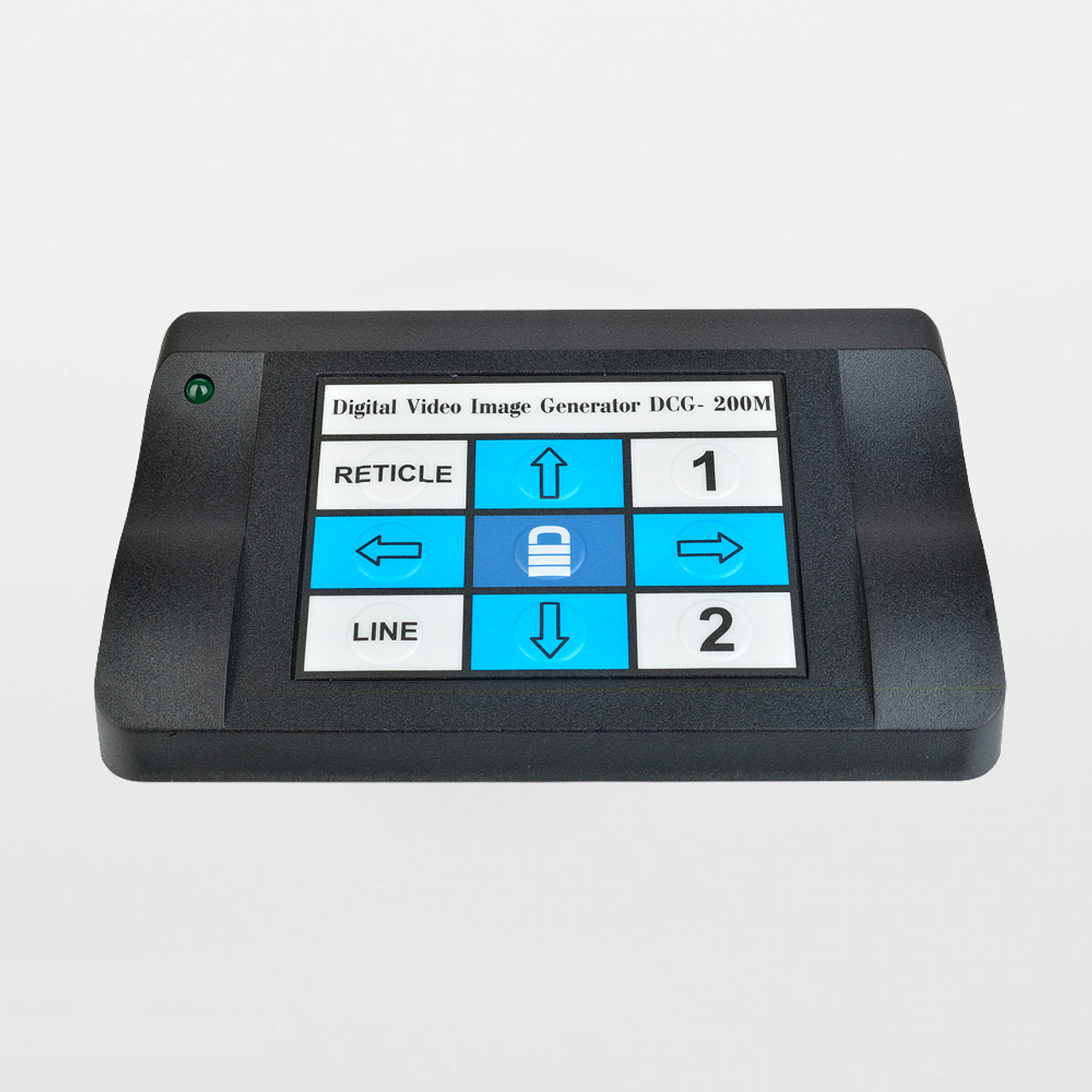
The TechniQuip DCG-200M is a digital video reticle (crosshair) generator that overlays adjustable reference patterns on a live video feed. It is commonly used with microscope cameras and video inspection systems to improve alignment, repeatable positioning, and go/no-go visual verification when features are too small to judge consistently by eye.

Why teams specify DCG-200M: It provides stable, repeatable on-screen targeting patterns (crosshairs, boxes, circles/squares, pointer) and a lockout (“Hold”) mode so the overlay does not drift due to accidental key presses.

Specifications:
  • Model: DCG-200M
  • Application: Digital reticle/crosshair overlay for single camera video inspection
  • Built-in reticle patterns: 7 patterns (crosshair variants, dual crosshair, box/rectangle, circles, squares, arrow pointer)
  • Line styles: solid/dashed, black/white, plus “no lines” (blank video)
  • Video formats: Composite (BNC) and S-Video (4-pin mini-DIN) — do not mix input/output formats
  • Video standards: NTSC / PAL (also listed as EIA / CCIR compatible in manufacturer documentation)
  • Power: 12 VDC input (power supply typically supplied with unit)
  • Key functions: Hold/lockout, memory of reticle positions/settings, phase-locked to camera
  • Typical uses: microscopy alignment, metrology reference, PCB/wafer inspection, laser targeting setup, and fixture verification
Where DCG-200M Fits in Microscopy & Video Inspection

In video microscopy, consistent outcomes depend on repeatable targeting. A digital crosshair generator acts like an on-screen “fixture”: you can align features to a known reference position, repeat the same viewpoint from operator to operator, and reduce inspection disagreement. It is especially valuable for setup (centering, alignment) and verification (feature location/tolerance checks) where the camera feed is the authoritative view.

System note: The DCG-200M is inserted in series between the camera and the monitor: Camera → DCG-200M → Monitor. Choose either Composite or S-Video end-to-end and keep it consistent.

For cleanroom or controlled environments, the crosshair overlay supports disciplined inspection by reducing repeated “hunt and center” motion that can increase handling and contamination risk at the workstation.

DCG-200M Features:
  • Seven reticle patterns for common targeting and alignment tasks
  • Hold / lockout mode prevents accidental reticle movement
  • Digital stability with phase-lock behavior for consistent overlay
  • Reticle position memory retains settings after power-off
  • Composite or S-Video support for common legacy video microscopy chains
DCG-200M Benefits:
  • Repeatable inspection: consistent on-screen reference reduces operator-to-operator variation
  • Faster setup: align to reticle features instead of re-centering by trial-and-error
  • Reduced rework: fewer “false defects” caused by inconsistent framing and positioning
  • Workflow control: lockout mode helps keep validated overlays stable during production use
Common Applications:
  • Microscope camera alignment and repeatable targeting
  • PCB / component location verification
  • Wafer / substrate inspection reference positioning
  • Manufacturing alignment tasks (fixtures, laser targeting setup, placement verification)
  • Quality control go/no-go viewing against a consistent overlay reference
Recommended Optical Cleaning Consumables (SOSCleanroom)

Crosshair overlays improve targeting, but image quality still depends on clean optics and camera path surfaces. Use optical-grade, low-lint tools—avoid cotton swabs and general-purpose tissues.

Notes: Use a consistent video path (Composite-to-Composite or S-Video-to-S-Video). Do not mix formats between input and output. Follow manufacturer handling guidance and facility SOPs.

Product page updated: Jan. 21, 2026 (SOS Technical Staff)

© 2026 SOS Supply. All rights reserved.

The Technical Vault
By SOSCleanroom
Last reviewed: Jan. 21, 2026 | Audience: microscopy users, QA/QC, manufacturing engineering, metrology, cleanroom operations
Why a Digital Crosshair Generator Improves Video Microscopy Repeatability
TechniQuip DCG-200M — reticle patterns, lockout control, installation discipline, and inspection workflow best practices
Alignment & targeting Video chain control Repeatable QC
The one-paragraph answer

In video microscopy and inspection, the largest source of inconsistency is often not the optics—it is the human process of “finding and centering” the feature. The TechniQuip DCG-200M overlays stable digital reticles (crosshairs, boxes, circles/squares, pointer) on a live camera feed so operators align features to a consistent reference. The Hold/Lockout mode prevents accidental movement once positioned, and internal memory retains settings after power-off. The result is faster setup, fewer inspection disagreements, and more repeatable documentation images.

Operational problems the DCG-200M is solving
  • Operator framing drift: the same part is presented differently at each inspection, changing perceived defect severity.
  • Slow setup time: repeated centering and “hunt” behavior delays throughput and increases handling.
  • Inconsistent go/no-go calls: borderline features are judged differently due to small shifts in viewpoint and reference position.
  • Documentation mismatch: before/after images do not align cleanly, complicating investigations and training.
What the DCG-200M generates (reticles + line styles)
Seven reticle patterns (typical set)
  • Single crosshair (rotatable)
  • Fixed center single crosshair
  • Dual crosshair
  • Box / rectangle
  • Crosshair with two sizable circles
  • Crosshair with two sizable squares
  • Arrow pointer
Line style options
  • Solid black, dashed black
  • Solid white, dashed white
  • Blank video (no reticle displayed)
Installation discipline (video chain rules that prevent damage)

The DCG-200M is designed to be installed in series between the camera and the monitor. The most important rule is format consistency: choose Composite or S-Video and keep the same format for input and output.

Critical caution: Do not mix formats (for example: S-Video in → Composite out). Also avoid connecting both Composite and S-Video sources simultaneously. These are common causes of equipment damage in legacy video chains.

Setup checklist (SOP-ready)
  1. Power down camera/monitor before insertion into the chain.
  2. Connect camera video output to the matching DCG-200M input (Composite BNC or S-Video).
  3. Connect DCG-200M output to the monitor using the same format.
  4. Select the corresponding input type on the unit (Composite vs S-Video selection).
  5. Apply 12 VDC power, then power on the unit and confirm video pass-through.
  6. Position the reticle as required, then engage Hold/Lockout to prevent movement.
Workflow controls that matter in QA/QC
  • Hold/Lockout: treat lockout as “validated state” in production—set, verify, lock.
  • Memory behavior: reduces re-setup time after power cycles; still verify reticle state at shift start.
  • Station standardization: document camera model, video format, monitor, and reticle pattern used for each product family.
  • Training consistency: train operators to align to the same reticle features and capture images at defined zoom/working distance.
Optics cleanliness (reticles do not fix low-contrast images)

Reticles improve targeting, but image quality depends on clean optics and a clean camera path. If you see haze, flare, or “phantom defects,” confirm optics cleanliness and illumination control before changing inspection criteria.

Optical cleaning best practice (template-style)
  1. Remove loose particles first (avoid dragging grit across coatings).
  2. Use a fresh, low-lint optical swab/wiper; lightly dampen if solvent is permitted by SOP.
  3. Wipe gently in a controlled direction; avoid heavy pressure and repeated scrubbing.
  4. Replace the cleaning surface frequently—do not reuse loaded swabs.
  5. Cover the microscope/camera path when idle to reduce airborne deposition.
Source basis
  • SOSCleanroom product listing context (positioning and single-camera use intent).
  • Manufacturer documentation for DCG-200M (reticle patterns, lockout/memory functions, and installation cautions).
  • Common microscopy/video inspection practices (station standardization, operator repeatability, optics hygiene).
Compliance note: This Technical Vault article is provided for educational support. Always follow facility SOPs and the manufacturer’s published instructions for installation, power, and handling.
Document control: Rev. Jan. 21, 2026 (SOS Technical Staff)
© 2026 SOS Supply. All rights reserved.