
Create or sign in to your account
Create a certificate or upload one
Tax is removed after verification
Three steps to a tax-exempt order
Start with your account, provide the certificate for your exemption, and confirm the tax status before placing your order.
Create an account or sign in
Your account gives you access to the tax-exemption tools at checkout and helps us associate the certificate with your orders.
Submit your information
Create a new certificate during checkout for automatic verification, or upload an existing certificate for review.
Check your order total
Once your certificate is verified and approved, the applicable sales tax is removed. Confirm the total before you submit the order.
Placing an order today?
Creating a new certificate at checkout is usually the fastest way to have your exemption verified automatically.
Two ways to submit your certificate
The method you choose can affect when sales tax is removed from your order.
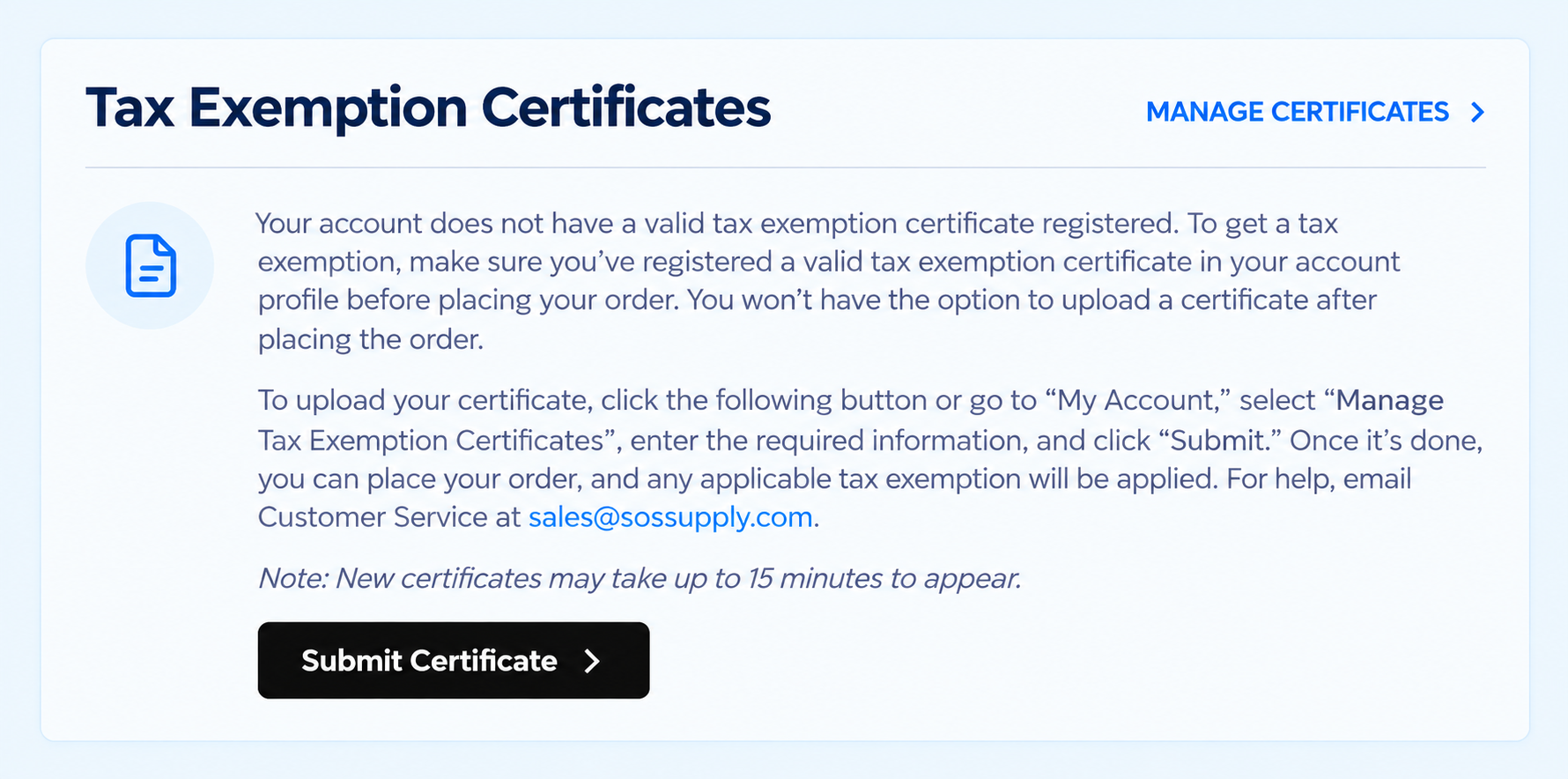
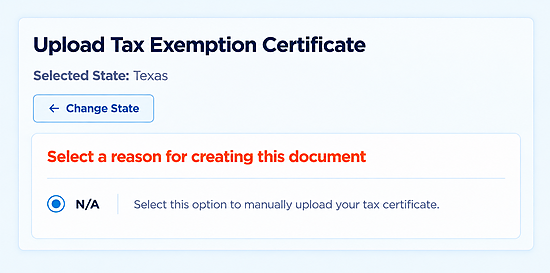
Before you place the order: Sales tax cannot be removed until your certificate has been successfully verified and approved. If tax still appears, contact us before completing checkout.
Where we collect sales tax
SOSCleanroom currently collects sales tax in the shaded states below. If your purchase qualifies for an exemption in a state where we collect tax, submit the appropriate certificate before placing your order.
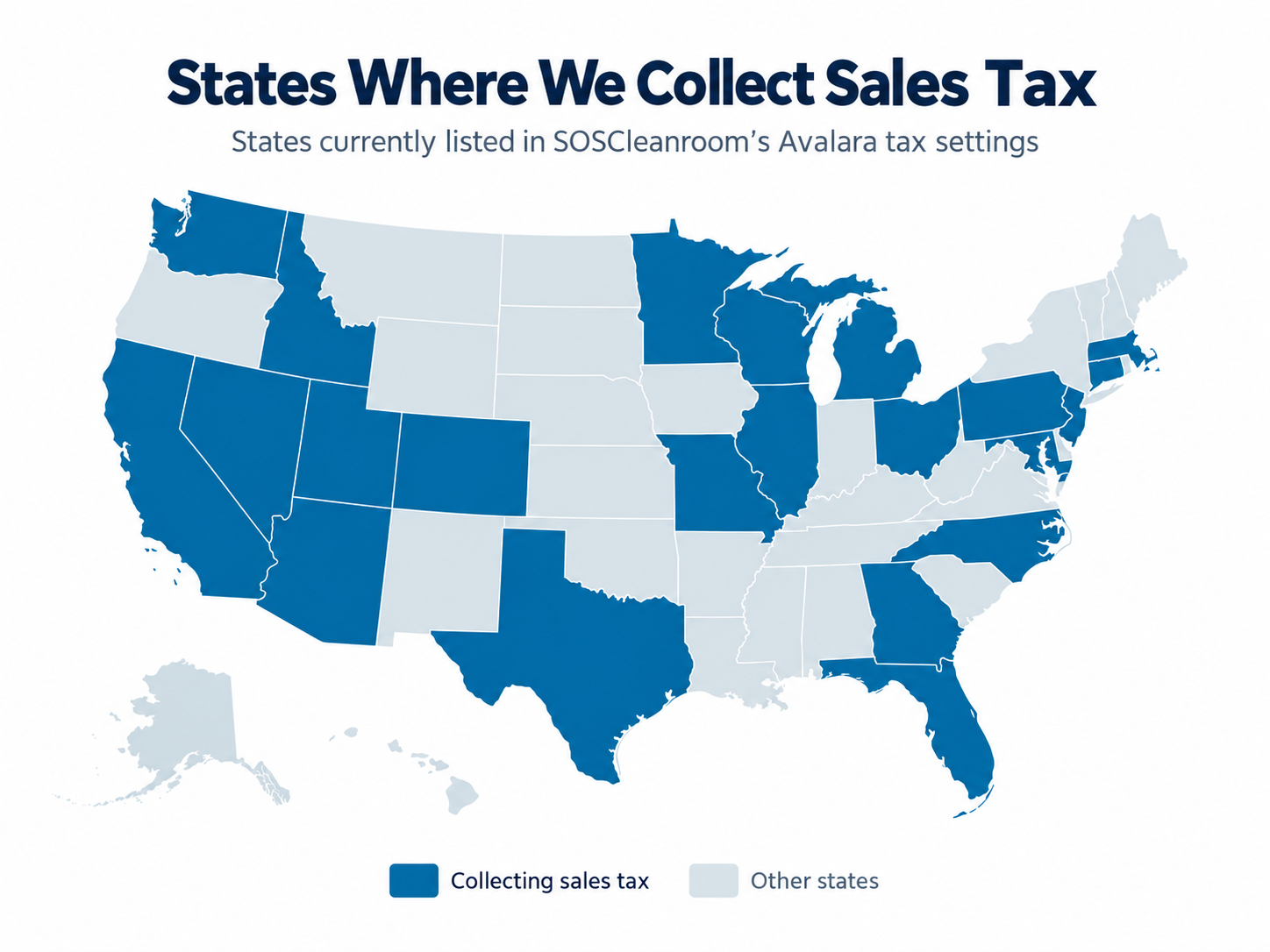
Based on SOSCleanroom's Avalara state list provided September 29, 2026. Checkout determines the tax shown for each order. This map is informational and does not determine exemption eligibility or use-tax obligations.
States where we collect sales tax
Arizona
California
Colorado
Connecticut
Florida
Georgia
Idaho
Illinois
Maryland
Massachusetts
Michigan
Minnesota
Missouri
Nevada
New Jersey
North Carolina
Ohio
Pennsylvania
Texas
Utah
Washington
Wisconsin
Adding a new ship-to location? A different state or address may need additional exemption documentation. Check the tax calculation at checkout. For help, email sales@sossupply.com with your account email and ship-to state. Submit certificate files through the website's tax-exemption tool.
Tax-exemption questions
Who can request tax-exempt purchasing?
Organizations and purchasers with a valid exemption or resale basis may qualify. Requirements depend on the state and the nature of the purchase. Submit the appropriate certificate for the exemption you are claiming.
Do I need an account?
Yes. New customers should create an account first. Existing customers can sign in and use the tax-exemption option at checkout.
Which submission method is fastest?
Creating a new certificate during checkout can be verified automatically. An existing certificate that you upload may need manual review before tax can be removed.
Why is sales tax still showing at checkout?
Your certificate may still be awaiting verification or approval, or the shipping location may need additional information. Check the certificate status and contact SOSCleanroom before placing the order if the total does not look right.
I already have an account, but I cannot see the tax-exempt option. What should I do?
Clear your browser cache and refresh checkout. If the option still does not appear, updating the shipping address during checkout may reset the verification process. You can also call our team for help.
Does tax-exempt status also give me NET30 terms?
No. Tax exemption and payment terms are separate. NET30 terms require an application and approval; a quote or exemption certificate does not establish credit terms.
What if I was already charged sales tax?
Contact us with your order number and exemption details. We can review the transaction and advise whether an adjustment is available.
Tax-exemption eligibility and documentation requirements vary by state. This page explains SOSCleanroom's ordering process and is not tax advice.
Get your exemption set up.
Create an account or sign in, then submit your certificate at checkout.
Questions? Call 800-443-7101 or email sales@sossupply.com.